3D Illustrated Periodic Table Model Assembly
Replacement for the
Printed Assembly Notes of the model kit
Make Braces to Align the Blocks at the neXus
CLICK ON PHOTO
TO ENLARGE
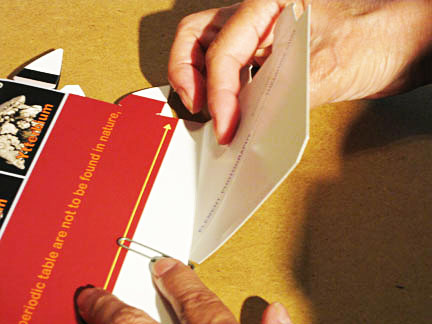
1. Fold up the AAE brace
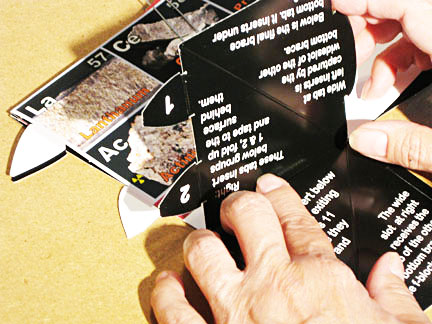
2. Find 1 & 2 tabs
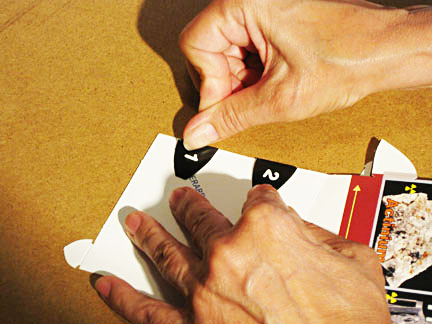
3. Tabs 1 & 2 fold
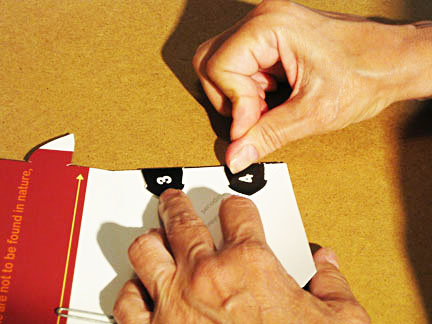
4. Tabs 3 & 4 fold
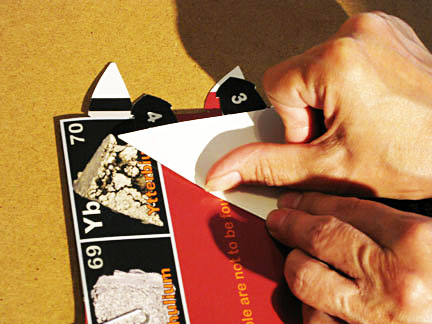
5. Fold the diagonal
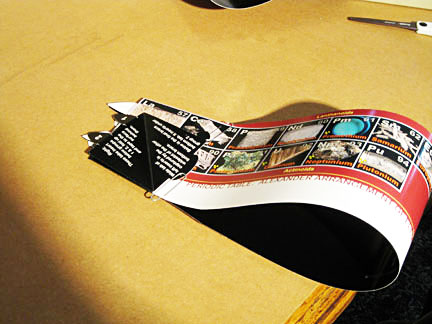
6. Rotate for readiness
Lay the pinched f-block assembly on one side, elements to the left, tabs to you.
1. Fold up the square brace section with ALEXANDERARRANGEMENTOFELEMENTS.COM printed near the center diagonal crease.
2. Fold at crease - black to black - burnish firmly, and return all to original positions.
3. Find tabs 1 & 2 and fold them and the small tab white to white; burnish firmly and return all to original positions.
4. Repeat process with the square ELEMENT PHOTOGRAPHY... brace section, tabs 3 & 4.
5. Bring the loop toward you, laying down with the element pictures to the left and the black sides of the braces facing up.
6. Bend up ONLY tabs 1 and 2 and check both sides for readiness of added brace-making for aligning all the parts at the neXus: where all the blocks meet.
NEXT - More bracing development ->>
Any problems? Call the AAE HELPLINE at 773.271.0318 days ...or
email me at Roy@AlexanderArrangementofElements.com.
< BACK